Build a
mini PC
home server.
A beginner’s homelab starts with one useful idea.
Recent Reddit discussions are bringing small home servers into focus. Here is what to look for, five relevant Amazon picks, and a setup plan that leaves room to learn.
Explore the shortlist ↗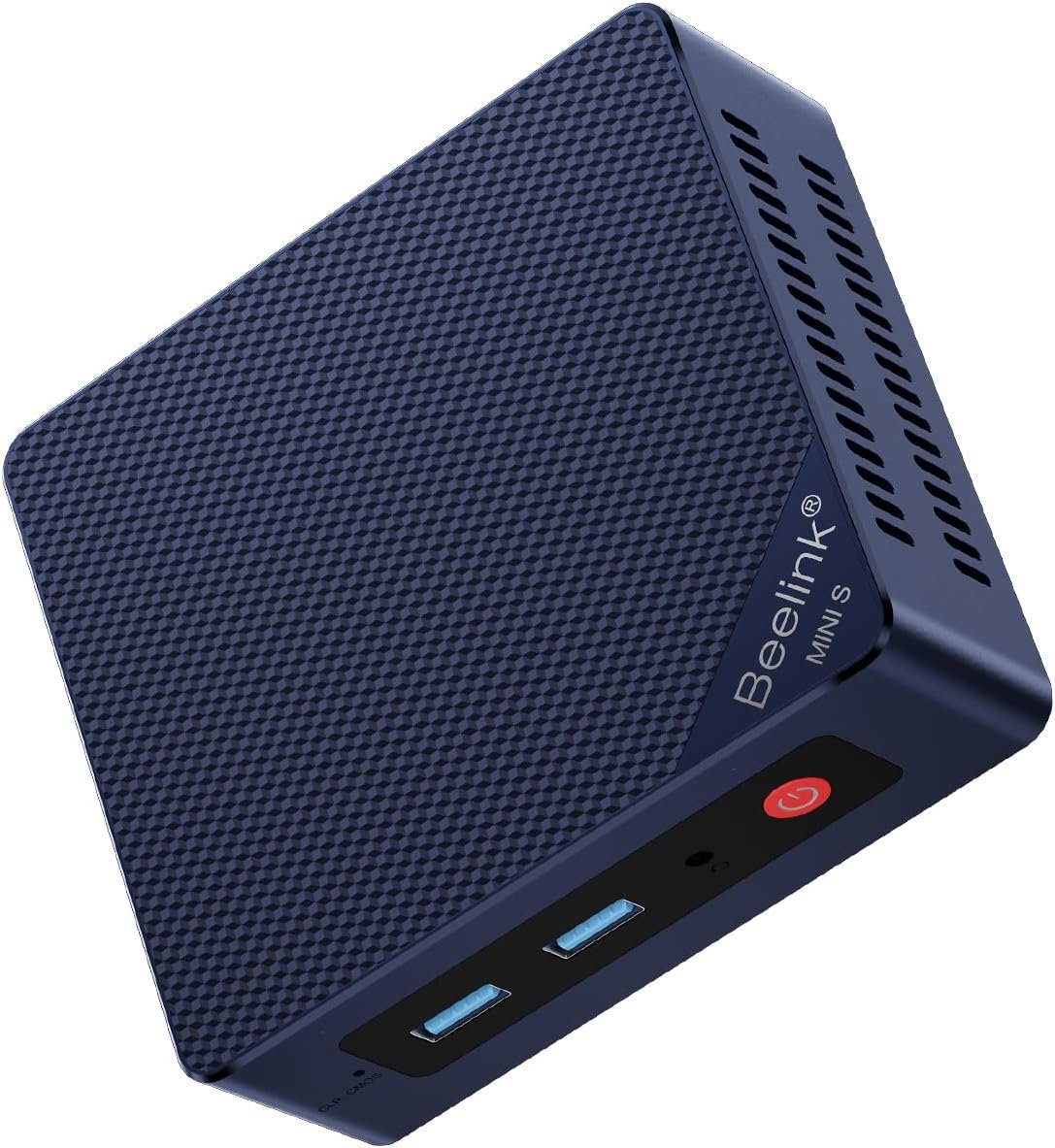
Build from there.
As an Amazon Associate I earn from qualifying purchases. This guide uses affiliate links. Selections are based on listed specifications, not hands-on testing. Listings and discussions reviewed on 30 October 2026.
THE CONVERSATION BEHIND THE GUIDE
Small servers are having a moment.
Recent discussions in
r/selfhosted and r/homelab.
A home server is simply a computer that runs services for your household: a dashboard, smart-home software, a local app or a place to learn Linux. It does not have to start with a rack, a stack of drives or a large shopping list.
Several recent Reddit threads return to the same question: how much machine do you need to begin? Used office minis, new compact PCs and Raspberry Pi boards all appear in the discussion. We chose this topic because that question connects a real project to a practical hardware decision.
A used mini PC becomes an everyday home server ↗
One owner describes using a second-hand HP PC for a collection of personal services. The useful takeaway is to start with an application you want to use, then expand as your needs become clearer.
Raspberry Pi or mini PC for a first homelab? ↗
A Raspberry Pi 5 starter setup prompted a discussion about the complete cost of a board, power supply, cooling and storage. A Pi remains useful for GPIO projects; an x86 mini PC is another route for running general applications.
Choosing a machine for a 24/7 development lab ↗
A developer planning containers and virtual machines raises the questions that matter before checkout: memory capacity, cooling, noise and continuous operation. A more demanding lab needs a different shopping list from a single-service server.
These threads show interest in the topic, not a measured ranking of all tech trends. The product choices below are our specification-based selections; Reddit users have not endorsed these exact listings.
START WITH A DECISION
One computer. Then a backup.
Two alternative PC routes.
One useful first accessory.
Beelink MINI S13
N150 · 16 GB RAM · 500 GB SSD
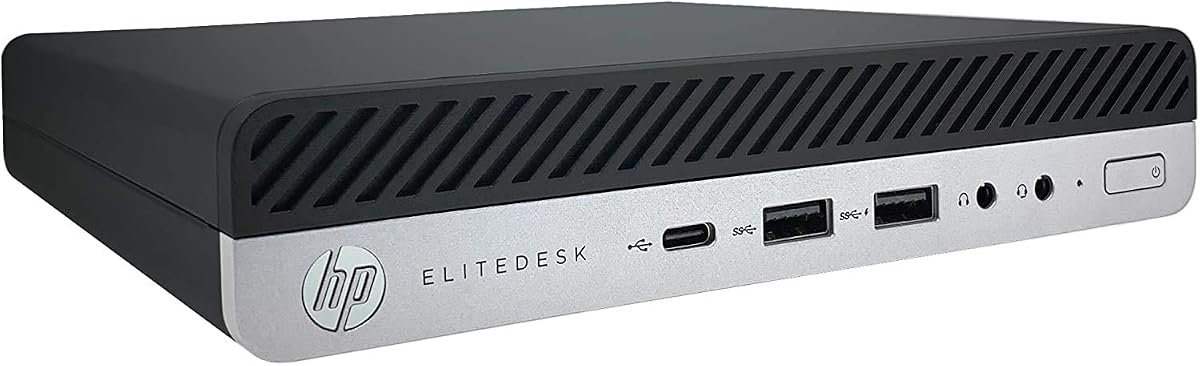
HP EliteDesk 800 G5 Mini
i5-9500T · 16 GB RAM · 256 GB SSD · Renewed
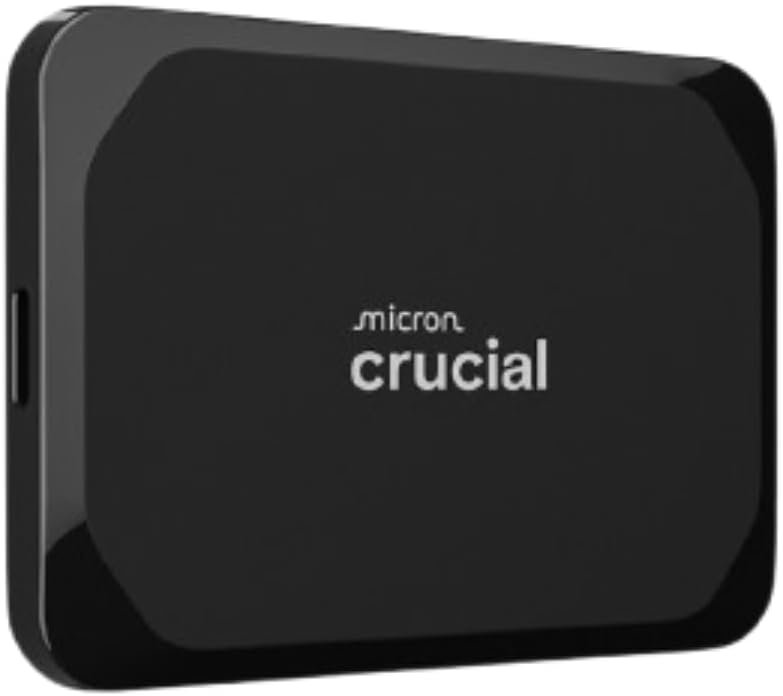
Crucial X9 1 TB Portable SSD
X9 · 1 TB · USB portable SSD
You do not need all five products. Choose one PC, or reuse a spare machine first. Use your router’s existing ports. Add backup storage, a switch or power protection when you have a clear reason.
THE BASIC LAYOUT
A simple home-server setup.
Keep the first version local.
Make recovery part of the plan.
THE HARDWARE SHORTLIST
Five picks. Different jobs.
Check the exact version,
seller and delivered cost.
PRODUCT IMAGE · BEELINKA compact new PC for a small app server
Beelink MINI S13
If you want a new, compact machine for a handful of home services, this MINI S13 configuration is a sensible place to start. Its Intel N150 has four cores and four threads, and the selected listing includes 16 GB of memory and a 500 GB SSD. That gives you a useful starting point for a small Linux server without buying memory and storage separately.
+A complete small PC; the selected listing also specifies two 2.5 GbE ports.
−Four threads and 16 GB of RAM set limits for a busy collection of virtual machines.
What to check before buying +
Consider it for a dashboard, lightweight containers or a dedicated Home Assistant installation after checking the operating system’s hardware requirements. Do not assume every Linux distribution supports every included network adapter equally well. A 2.5 GbE port will negotiate down to gigabit on a gigabit switch; it does not make the rest of the network faster.
Choose the N150 / 16 GB / 500 GB MINI S13 version. Do not substitute another capacity or MINI S generation without rechecking the specifications.PRODUCT IMAGE · HP · AMAZON RENEWEDA renewed alternative worth comparing
HP EliteDesk 800 G5 Mini
A refurbished office mini PC is the other route worth checking before buying new. This Amazon Renewed EliteDesk listing specifies a six-core Core i5-9500T, 16 GB of DDR4 and a 256 GB NVMe SSD. It is a candidate for learning about containers or virtual machines, provided its condition and total delivered cost make sense.
+Six physical CPU cores in a small office-PC format.
−It is refurbished, and the 256 GB drive can fill quickly with VM images and backups.
What to check before buying +
The Reddit discussion that inspired this guide used a different HP model; it was not a review of this Amazon listing. Compare the actual refurbisher, return window and included power adapter. Check memory and drive upgrade support against the exact HP model before buying parts. More cores alone do not establish real-world speed, noise or power consumption.
Selected offer: EliteDesk 800 G5 Mini, i5-9500T, 16 GB, 256 GB, Renewed. Seller bundles and condition may change.PRODUCT IMAGE · CRUCIALAn external destination for scheduled backups
Crucial X9 1 TB Portable SSD
Before adding more apps, decide where their backups will go. The 1 TB Crucial X9 is a small external SSD that can hold exported configurations, application data and scheduled backups. It is an accessory for either computer above, not a replacement for the server itself.
+A separate, portable backup destination for a small setup.
−A drive left attached to the same PC is not an independent off-site backup.
What to check before buying +
The advertised transfer rate is a manufacturer maximum and needs a compatible USB connection. Backup speed also depends on file sizes, software and the source drive. Size the drive for your retained backup history, test a restore, and keep another copy offline or away from the server for important data. A media library may need much more than 1 TB.
Choose the 1 TB X9 portable SSD. The X9 Pro, X10 Pro and other capacities are different products.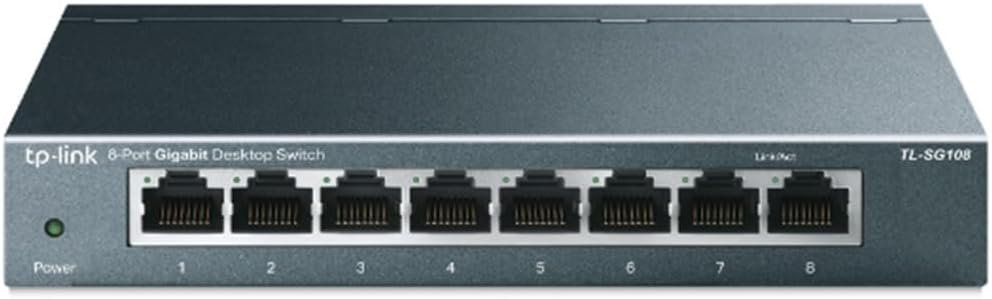 PRODUCT IMAGE · TP-LINK
More Ethernet ports, only if you need them
TP-Link TL-SG108
Your first server can connect directly to a spare LAN port on your router. If those ports are full, the TL-SG108 adds eight gigabit Ethernet ports in a fanless metal enclosure. It is a straightforward wired-network accessory for a server, desktop and other local devices.
+Unmanaged, plug-and-play expansion without a configuration interface to maintain.
−This model is gigabit, not 2.5 GbE, and is not the choice for configurable VLAN isolation.
What to check before buying +
One port normally connects back to your router, leaving seven for other devices. This is a switch, not a router or Wi-Fi access point. If you plan to experiment with VLANs or transfer large files over a 2.5 GbE network, choose a suitably managed or faster model instead. A basic home app server does not automatically need either upgrade.
The linked model is TL-SG108, not TL-SG108E or TL-SG108-M2. Those models have different features.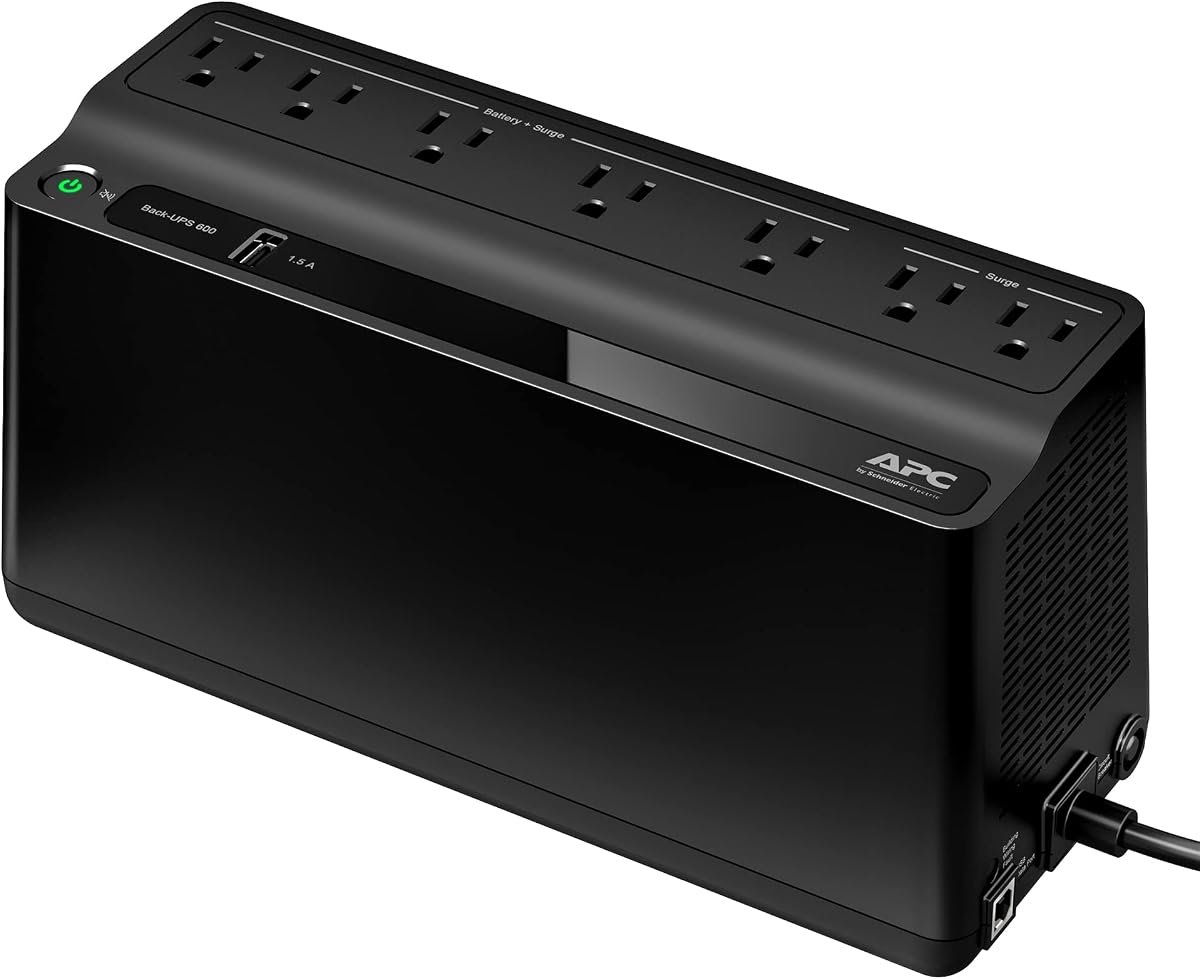 PRODUCT IMAGE · APC
Optional backup power for a compatible US setup
APC Back-UPS BE600M1
If brief outages regularly interrupt your server, a UPS can provide time to shut down cleanly. The BE600M1 is a 600 VA / 330 W model for compatible 120 V installations. Treat it as a later reliability upgrade, after you know the load of your server and any networking equipment you want to support.
+Battery backup for short interruptions when correctly sized and configured.
−This is a US 120 V model. It is not suitable for direct connection to Sri Lanka’s 230 V mains.
What to check before buying +
Check mains voltage, plug type and the UPS watt limit before ordering. For 230 V regions, select a locally appropriate UPS instead of this listing. Runtime changes with the connected load and battery condition; no runtime is promised here. Configure and test supported shutdown software rather than assuming a battery alone will shut down the server safely.
BE600M1 is the 120 V model. A UPS does not replace backups, and only its battery-backed outlets provide battery power.WHAT BELONGS ON YOUR LIST?
Buy for the job you have.
Accessories solve a need.
They are not a starter-kit requirement.
| Product | Selected configuration | Consider it when | Details |
|---|---|---|---|
| Beelink MINI S13 | N150 · 16 GB RAM · 500 GB SSD | You want a new machine for a few services | ↗ |
| HP EliteDesk 800 G5 Mini | i5-9500T · 16 GB RAM · 256 GB SSD · Renewed | A renewed offer beats your new-PC options | ↗ |
| Crucial X9 1 TB Portable SSD | X9 · 1 TB · USB portable SSD | You need a separate backup destination | ↗ |
| TP-Link TL-SG108 | TL-SG108 · 8-port unmanaged gigabit switch | Your router has run out of LAN ports | ↗ |
| APC Back-UPS BE600M1 | BE600M1 · 600 VA / 330 W · US 120 V model | Short outages affect a compatible 120 V setup | ↗ |
FROM BOX TO USEFUL SERVER
Make the first project manageable.
A buying and setup plan.
Follow the software’s official instructions.
Pick one useful job
Start with a home dashboard, a local service or Home Assistant. List the application’s hardware requirements before buying. Reusing a spare PC can reveal what you actually need; you can replace it later if power use, size or noise becomes a problem.
Choose the software path
For a dedicated smart-home machine, check Home Assistant OS for generic x86-64 hardware. A Linux server with containers suits several small services. Proxmox is a learning option when you specifically want virtual machines and understand the extra administration.
Allow room for the workload
The two PC picks include 16 GB of RAM, a practical starting point for many small setups, not a guarantee for every app. Multiple VMs, development runners and databases may justify a machine that supports 32 GB or more. Leave memory for the host and storage for snapshots and updates.
Wire it and keep it ventilated
Use Ethernet to a spare router LAN port and give the server a DHCP reservation if supported. Keep its air vents clear. Test the intended operating system, network adapter and sleep settings before putting important services on it. Do not treat a processor’s power rating as the whole PC’s electricity use.
Back up before you depend on it
Save application data, configuration and recovery instructions somewhere outside the server’s internal disk. Schedule backups and test restoring one. A snapshot on the same drive will not protect you if that drive fails. Installing a new OS can erase existing data, so copy anything you need first.
Add access and upgrades carefully
Start on your local network. Avoid opening router ports just to try an app; use a supported, authenticated remote-access method if you need access away from home. Install updates, use unique credentials and keep recovery access. Add a switch or UPS only when your setup needs it.
Installation references: Home Assistant’s generic x86-64 guide and Proxmox VE hardware requirements. Read the current requirements before choosing hardware or replacing an operating system.
BEFORE YOU START
A few questions,
answered.
Hardware should serve your project.
Give yourself room to learn.
Can a mini PC run 24/7 as a home server?+
It can be suitable when the exact hardware and operating system support your workload. Check cooling, storage health and power settings, then test it under the load you expect. A consumer mini PC is not a promise of enterprise reliability. Keep backups and allow time for updates and maintenance.
Is a Raspberry Pi or mini PC better for beginners?+
For electronics, GPIO and small board projects, a Raspberry Pi offers features a typical mini PC does not. For general x86 applications, a complete mini PC can be convenient. Compare the full cost of the Pi setup, including its power supply, cooling, case and storage, with the actual PC offer.
Is 16 GB of RAM enough for a homelab?+
It can be enough for a few lightweight services, depending on their requirements. A lab with several VMs, development tools or larger databases may need more. Proxmox itself needs memory in addition to the memory assigned to guests. Check upgrade support before choosing a particular PC.
Do I need 2.5 GbE or a separate network switch?+
Neither is a requirement for a basic first server. Use an available router LAN port first. A switch helps when you need more ports. Faster networking helps only when the devices, links and workload can use it; the TL-SG108 in this guide is limited to gigabit links.
Can I use these PCs for Home Assistant?+
Home Assistant documents a generic x86-64 installation path for suitable UEFI-capable machines. Check that guide against the exact PC before installing. A dedicated Home Assistant OS installation is one option; running other applications alongside it requires a different setup. Copy existing data before replacing the operating system.
Why are there no prices or performance scores?+
Amazon offers, sellers and selected variants change. The buttons open the exact ASINs checked for this guide so you can confirm the current offer. These selections are based on listed specifications and use cases; we have not benchmarked or measured the noise or wall-power use of these units.
SPECIFICATIONS & EDITORIAL NOTES
Sources you can check.
The product buttons link to the exact Amazon ASINs reviewed for this guide. Additional technical references: Intel N150 specifications, TP-Link TL-SG108 specifications, Crucial X9 product flyer and Schneider Electric’s BE600M1 product information.
No purchase or hands-on testing was performed for this guide. We do not use Reddit comments as evidence for benchmark results, reliability guarantees or endorsement of a particular seller.
Product photographs are from the linked Amazon listings and illustrate the selected models. Confirm capacity, condition, seller, voltage and included accessories before ordering. Planning a desktop memory upgrade? Read our RAM buying guide.